
Cloud accounting · VAT-ready · Built for UAE businesses
Payment Received
Books 365 helps you record money received from customers and connect each payment with the correct invoice, receipt, or customer account.
Your team can quickly understand which customers have paid, which invoices are still open, and how much cash has been collected.
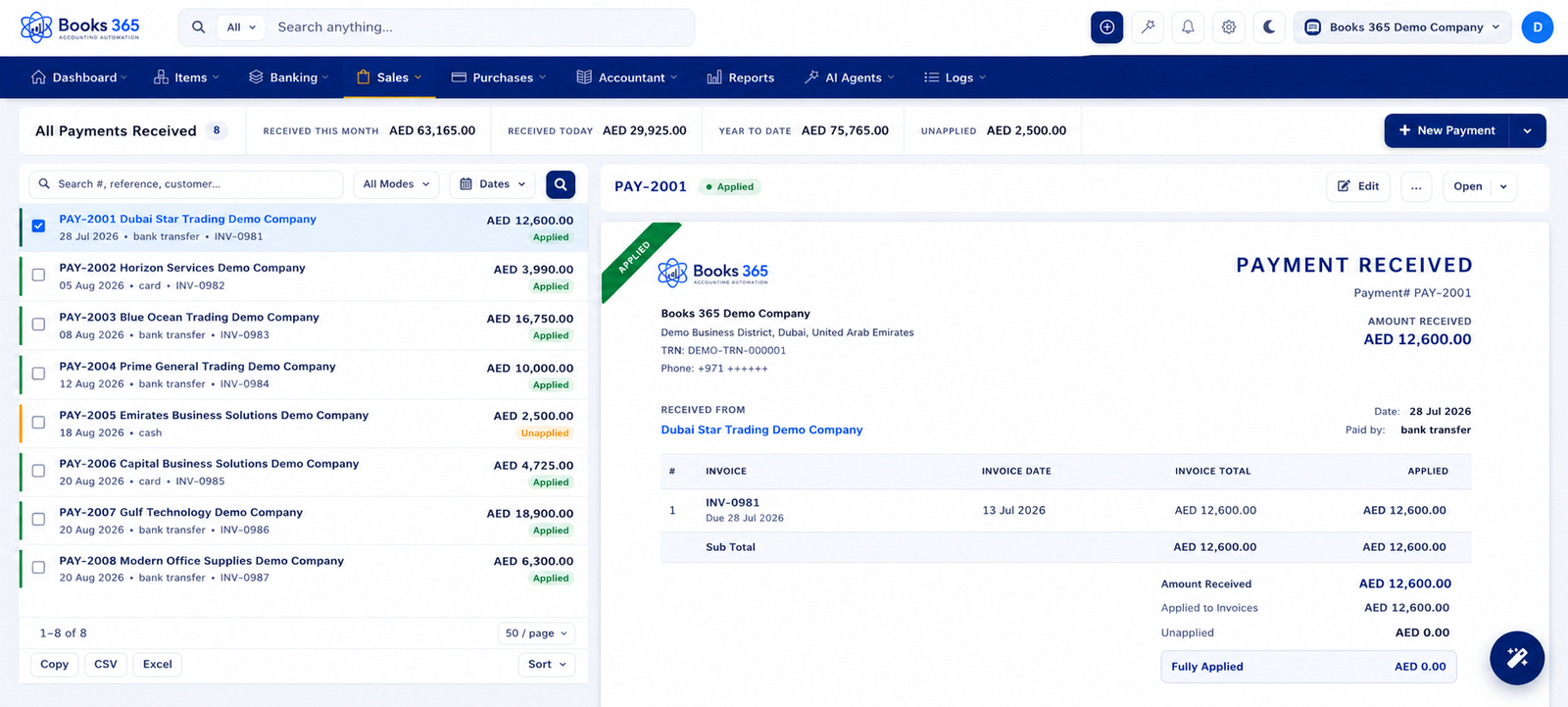
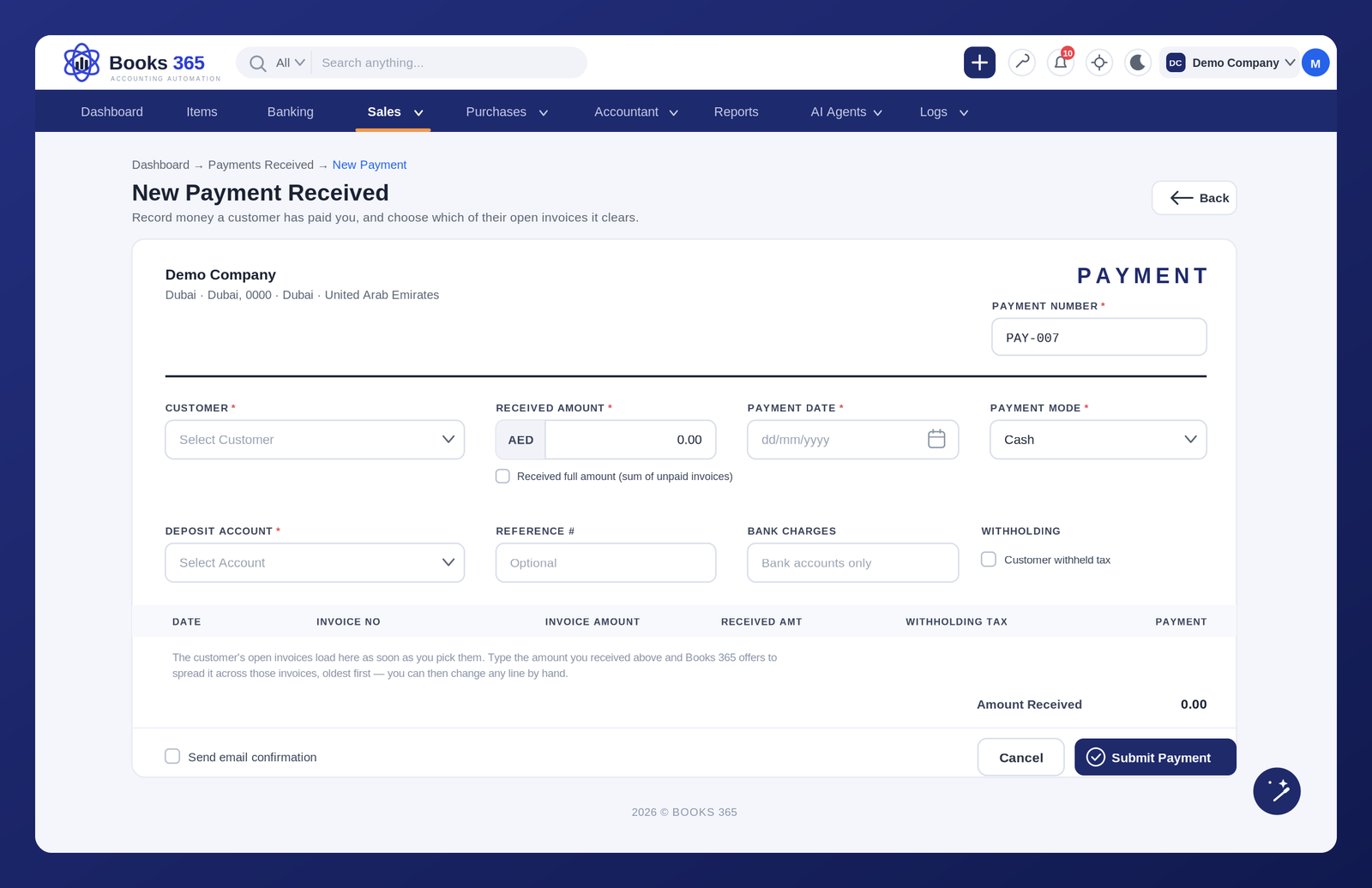
Customer payments need to be recorded with the right details so balances stay accurate.
Books 365 helps you capture payment information in a clean workflow, making it easier for finance teams to review collections and update customer accounts.
Customer name
Invoice reference
Payment amount
Bank or cash account
Payment date
Transaction reference
Payment Method
Notes and attachments

Books 365 helps you allocate received payments to the correct invoices, whether the customer pays in full, pays partially, pays in advance, or settles multiple invoices together.
This keeps customer balances clean and helps your team avoid payment matching mistakes.
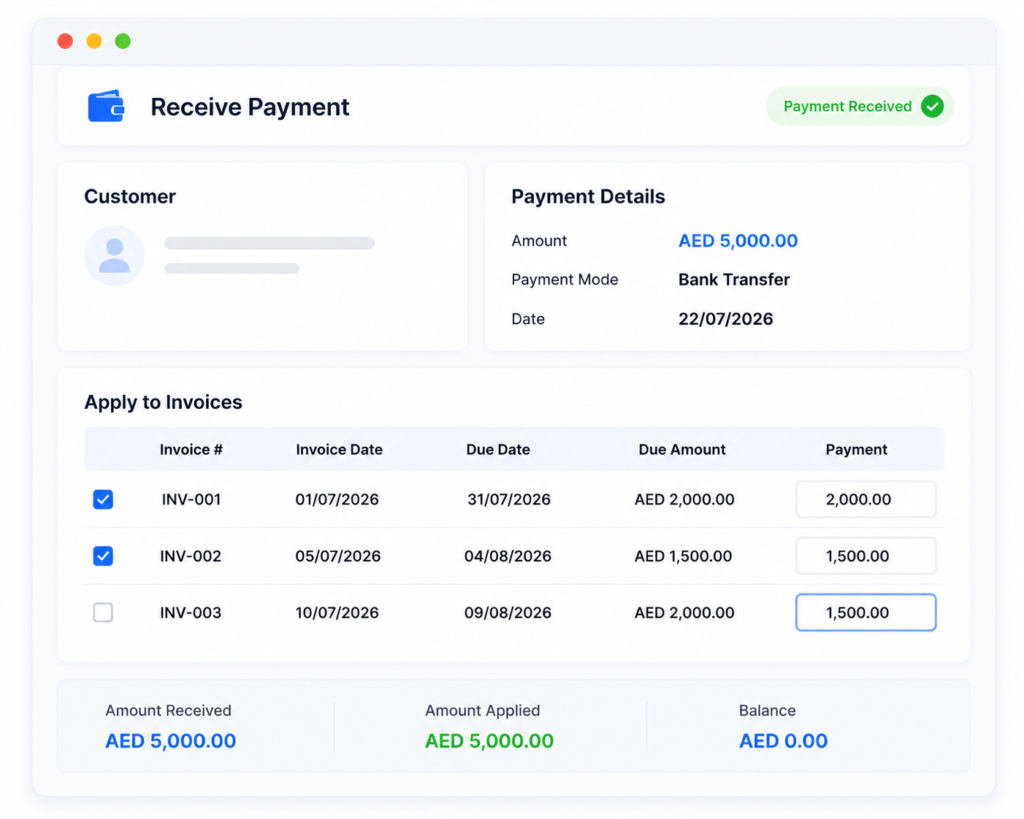
Every payment recorded in Books 365 connects with customers, invoices, receipts, bank records, and financial reports.
This gives business owners, accountants, and finance teams a clear view of cash received, outstanding receivables, and collection performance.
Customer payment recording
Invoice allocation
Partial payment tracking
Customer balance updates
Advance payment handling
Bank and cash account connection